
The Build tab
The build workshop. A library of archetype builds mined from pro replays, a drafting board to pick one, and a full tactical editor with sheet, timeline, and map views to make it yours.
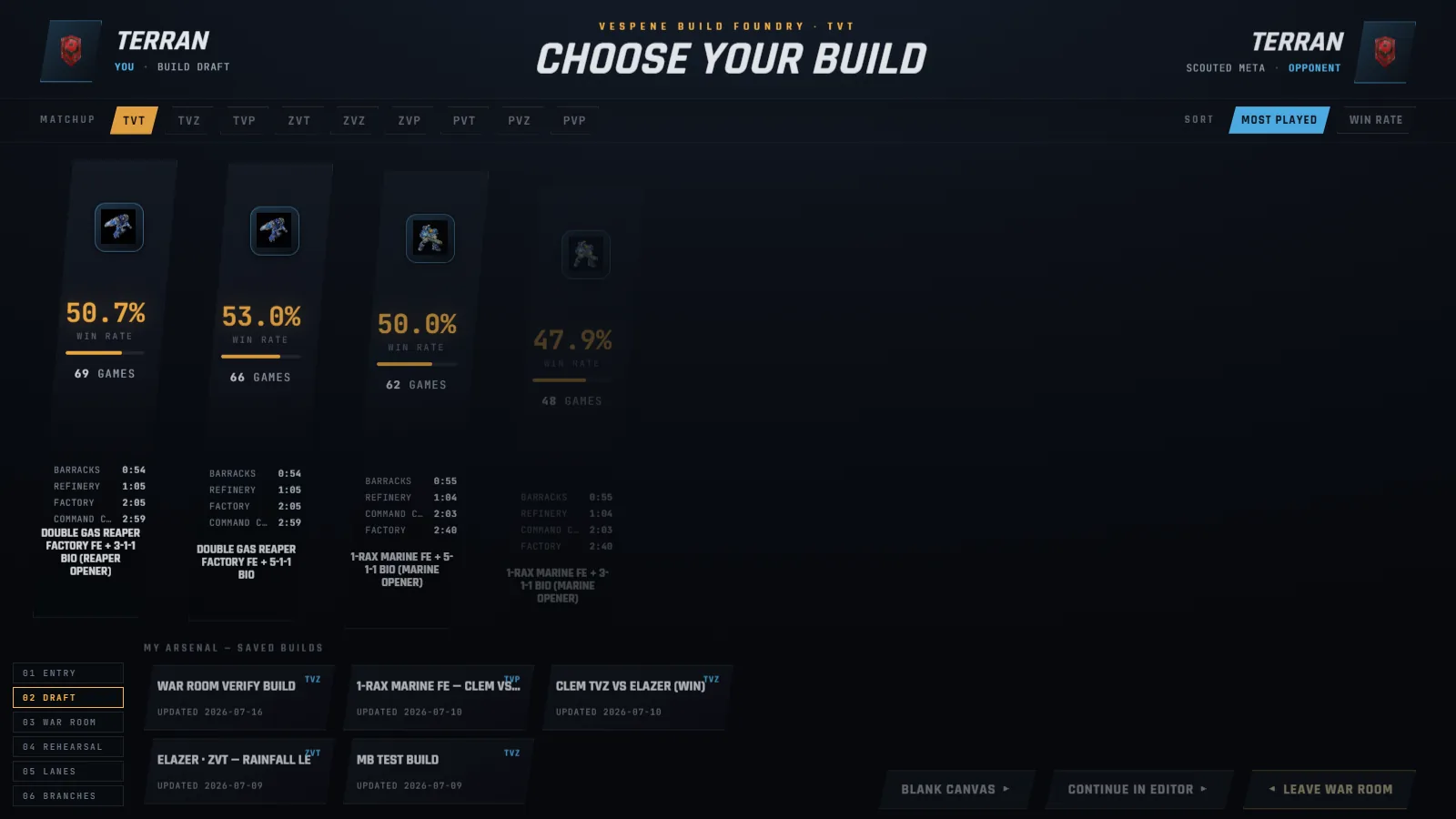
The Build tab opens on the War Room draft board, the corpus library laid out as a lane per build, with the Tactical Build editor already mounted underneath it. Picking a lane imports that build into the editor, and "Continue in editor ▸" dismisses the board onto the canvas you were last working on. Everything here runs on the same idea: builds are not text files, they are simulations, and the site's pro-replay corpus is the raw material.
The Build Library (corpus builds)#
The library holds archetype builds clustered from pro replays per matchup, plus individual pro studies. Browse it from the editor's draft board (the fullscreen "War Room" with a lane per build) or the "Build Library" entry in the File menu. It is public; you can browse signed out, and only saving needs an account.
What a build card carries: a style label, win rate and game count from the corpus, a cheese chip where deserved, lineage count, and for pro studies the player's name. A patch toggle appears when more than one balance dataset exists (5.0.15, 5.0.16, 5.0.16b, and 5.0.17, the current patch), so you can study the current patch or a legacy one deliberately. 5.0.17 rolled the economy back to 5.0.15's (12 workers, a 400-mineral Command Center), so until enough 5.0.17 games exist its pro lines also draw on the 5.0.15 games, which were played on the same economy.
Open a build and the study panel lays out everything the corpus knows: when to pick it, how to scout it, strengths and weaknesses, key timings, add-on swaps, and the consensus build order where each step shows how many games include it and the window when it happens. The "Lines" section lists the build's real variations, including scout-reaction branches ("Scout outcomes"), and "Reference replays" links actual pro games, one click into the replay viewer.
"⤓ Open in editor" imports the whole thing: the main line, up to five lineage branches, scout branches, coach notes pinned to steps, and the production plan. The import toast itemizes exactly what came along and what was omitted.
The editor#
Three views, switchable at the top:
- SHEET (default): the build as a notepad-style list. Type to add steps, pin supply or time, fork alternative lines.
- TIMELINE: the whole build as production lanes on one time axis, the view that makes gaps in production visible.
- MAP: spatial placement. Drag buildings onto the actual map; gas structures snap to real geysers and townhalls snap to real expansion slots, using per-map data mined from pro games.
The core mechanic is that timing is computed, not typed. Every step shows the supply it starts at and carries an auto time derived from economy, prerequisites, supply, and production capacity; edit a step to override. The auto-workers toggle keeps workers building from every base so you plan army and tech while the economy runs itself.
Everything else worth knowing, briefly: per-row production (⊕), forks (⑂), repeating production blocks, add-on docking and swaps, morphs, a target-comp solver ("🎯 Comp" computes the fastest build to reach an army you specify), rally paths, worker and army movement previews, and six timed tactic markers (Scout, Harass, Drop, Push, Move Out, Defend) you can place on the map.
Two overlays ground your plan in reality:
- Eco sim: a projected economy runs alongside your build (minerals, gas, supply, workers), warning about supply blocks before they happen and idle production you did not notice. In a replay context it can show the watched player's real economy instead.
- Pro Heat: heatmap layers of what opponents actually do on this map (Attacks, Harass, Cheese, Expansions), with sample counts, so your sim city answers the meta rather than a blank canvas.
"▶ Run it" rehearses the build at 10x with an event feed, which is the fastest way to feel whether a plan holds together before you queue with it.
Saving, importing, exporting#
- "★ Lock in" (or Ctrl+S) saves to your account. Signed out, work still saves locally in the browser, and the editor says so.
- "My Builds" lists your saved builds per matchup; delete archives rather than destroys.
- Import and export use the editor's JSON format (File menu). Importing replaces the current build for that race, and the dialog warns you.
- Practice this build (in the menu beside Lock in) makes the open build your practice build for its matchup; see Practice builds.
Where to start#
If you are new here: open the draft board, pick your matchup, sort by "Most played", open the top archetype, read "When to pick" and "How to scout it", then "Open in editor" and press "▶ Run it". Fifteen minutes of that beats an hour of build-order text.